Maintenance Mode
Backend Server Maintenance and Production Modes
nBalance allows administrators to change the operational state of backend servers to support maintenance activities without disrupting live traffic.
Maintenance Mode temporarily removes a backend server from active traffic handling while keeping its configuration intact.
Set a Backend Server to Maintenance Mode
-
Navigate to TCP Config. Click on TCP Config from the left navigation menu.
-
Locate the Navigate to the required Frontend and Backend Server List.
-
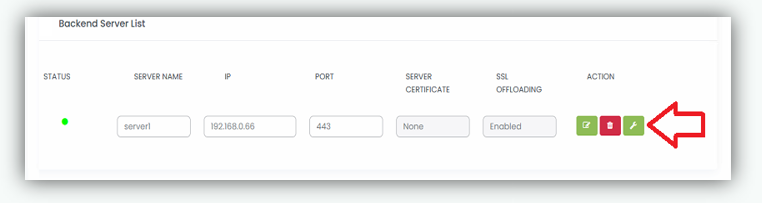
Click the Maintenance Mode icon (wrench icon) in the Action buttons, as shown in the screenshot.
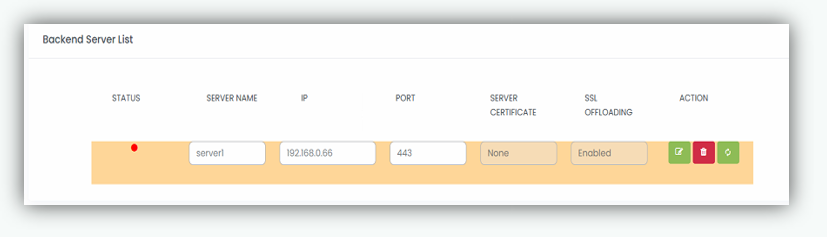
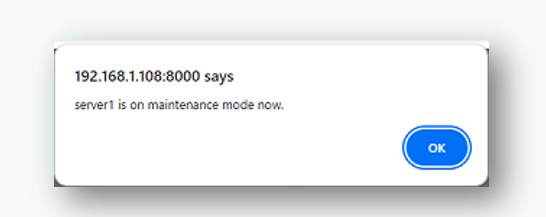
- When a backend server is successfully placed into Maintenance Mode, a confirmation pop up message is displayed. And the Backend Server List is highlighted with a distinct background color to clearly indicate its maintenance state.
- Click OK to close the confirmation dialog.
Notes
- New client traffic is no longer forwarded to this server.
- Switching modes does not delete or modify backend server configuration.
- Health checks will be disabled for the backend server in maintenance mode.
- Maintenance Mode is recommended before performing planned backend maintenance.
Set a Backend Server to Production Mode
Production Mode restores a backend server to active service, allowing it to receive traffic again.
-
Navigate to TCP Config. Click on TCP Config from the left navigation menu.
-
Locate the Navigate to the required Frontend and Backend Server List.
-
Click the Maintenance Mode icon (wrench icon) in the Action buttons, as shown in the screenshot.
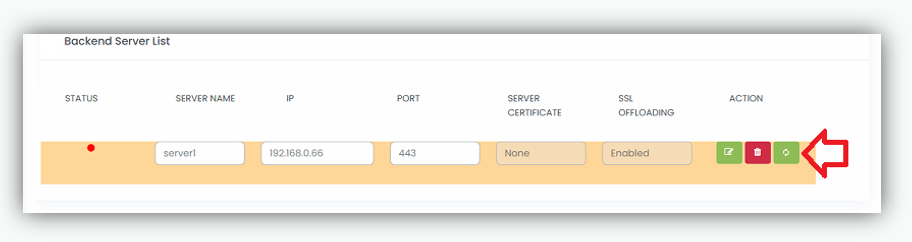
- When a backend server is successfully placed back to Production Mode, a confirmation pop up message is displayed.
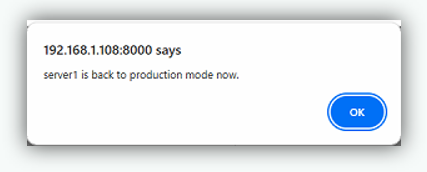
- Click OK to close the confirmation dialog.
Notes
- Health checks will be resumed to determine the status/state of the server.
- The backend server is returned to active (production) state.
- The server becomes eligible to receive traffic based on the configured load balancing method.
- Health checks determine whether a backend server in production mode can receive traffic